Reorder point = daily usage x (lead time + safety days). For example, 6 jobs a week (about 0.86 a day) with a 3-day lead time and 2 safety days gives a reorder point of 5. With no minimum order quantity, as at Parts4Cells, you can top up exactly to the calculated level.
The starting values are example numbers. Take yours from the last four weeks of your own repair log. Add today's shelf count to see how many to order now; leave pack size at 1 unless the item is only sold in packs. Planning more than one part? The reorder list builder runs this calculation for every part and lists what to order.
How does the calculation work?
- Daily usage = weekly jobs / 7
- Reorder point = daily usage x (lead time + safety days), rounded up
- Order-up-to level = daily usage x (lead time + safety days + days between orders), rounded up
- Order today = order-up-to level minus the shelf count, only when the shelf count is at or below the reorder point
- Packs = order today divided by pack size, rounded up, when the item is only sold in packs
Lead time is counted in calendar days from the moment you place the order to the moment the part is tested and ready on your bench, not the carrier's transit time alone. Rounding up means you never plan for part of a screen.
Worked example: three parts, one weekly order
| Part | Jobs a week | Lead time | Safety days | Reorder point | Top up to |
|---|---|---|---|---|---|
| Screen, most common model | 6 | 3 days | 2 | 5 | 11 |
| Battery, same model | 4 | 3 days | 2 | 3 | 7 |
| Charging port flex | 2 | 4 days | 2 | 2 | 4 |
All three are ordered once a week (7 days between orders). On order day, count the shelf. If you have 4 screens, 4 batteries and 1 charging port, only the screens (4, at or below 5) and the port (1, below 2) need an order: 7 screens to reach 11 and 3 ports to reach 4. The batteries wait until next week.
What if a part only comes in packs?
Work out the order the same way, then round it up to whole packs. Most repair parts are sold one at a time, so pack size stays at 1. Counter items such as screen protectors are where packs usually show up; check the listing before you enter a pack size.
| Step | Working | Result |
|---|---|---|
| Daily usage | 9 sold a week / 7 | about 1.29 |
| Reorder point | 1.29 x (3 lead days + 2 safety days), rounded up | 7 |
| Top up to | 1.29 x (3 + 2 + 7 days), rounded up | 16 |
| Order today | 3 on the shelf, at or below 7, so 16 minus 3 | 13 |
| Whole packs | 13 / 10, rounded up | 2 packs, 20 units |
The 7 units over the top-up level are not waste. At about 1.29 a day they last roughly five days, so the next reorder comes about five days later. The same item and numbers appear in the counter add-ons section of the reorder list, which gives the same answer.
- Watch the overshoot. If one pack covers more than about four weeks of use, ask whether the item is also sold one at a time, or order it per job.
- Count in units, not packs. Enter the shelf count as single units, including the loose ones from an opened pack.
How many safety days do you need?
Safety days cover the weeks that do not go to plan: a busy Saturday, a delivery that arrives a day late, a part that fails on test. Start with 2 and adjust from what actually happens.
- Add a day or two for parts whose weekly jobs swing a lot, and when deliveries have arrived late in the last month.
- Take a day away when a part has not run out in three months and older stock is still on the shelf.
- Count the misses. Each time a customer waits because a part was out, note the part. Two misses in a month on the same part means its safety days are too low.
How does lead time change your stock?
Every extra day of lead time is another day of parts on the shelf. With the example screen above (6 jobs a week, 2 safety days), a 3 day lead time gives a reorder point of 5 and a top-up level of 11. An 8 day lead time gives 9 and 15: four more screens bought and waiting, every week. A lower unit price from a slower source can be cancelled out by that cash on the shelf and by more failed fits, so compare offers with the cost per good part calculator.
Lead time is only reliable if the part was in stock when you ordered. A supplier that shows real-time stock lets you trust your lead time. Check new arrivals weekly for models that are just starting to come in: new arrivals.
Which parts should you plan this way?
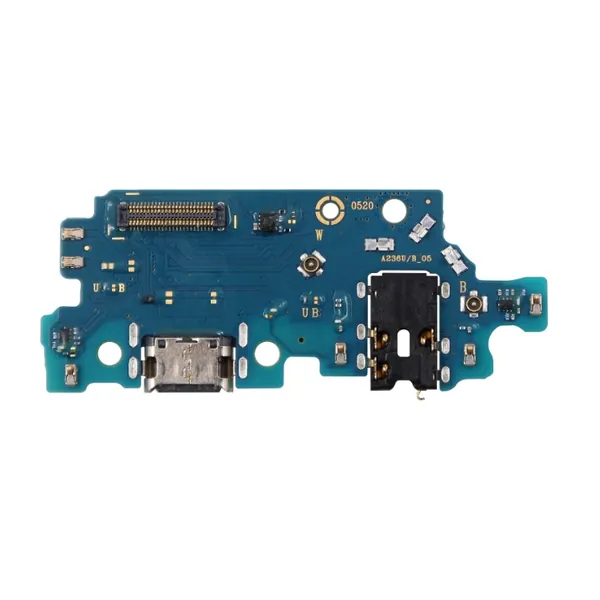
Your top ten parts by jobs, usually screens and batteries for your most common iPhone and Galaxy models, plus charging ports. Everything else can be ordered per job.
- Plan it when the part is used at least once a week and the model is still coming in for repair.
- Order per job when it is used less than once a month, or the customer is happy to wait for delivery.
- Stop restocking when a model has not come in for a month. Let the last units sell through rather than holding a reorder point for it.
A weekly reorder routine
- Count the shelfCount each planned part on the same day each week, before you order. How to count and spot slow movers
- Compare with the reorder pointMark every part at or below its reorder point.
- Order up to the levelOrder the difference between the top-up level and what you counted, rounded up to whole packs for items sold in packs, in one order where you can. Reorder list builder for all parts at once
- Receive and testCheck the order on arrival and test parts before they go on the shelf. Receiving checklist
- Log the real lead timeNote the order date and the day parts were ready on the bench. Use that number, not the expected one, next month.
- Recalculate monthlyUpdate weekly jobs from the last four weeks of your repair log and rerun the calculator.
What about batteries on the shelf?
Lithium batteries age in storage and are regulated as hazardous materials when shipped, under the US Department of Transportation Hazardous Materials Regulations. Keep battery stock lean, store it cool and away from metal objects, and rotate older stock first. The battery stock guide adds a shelf-time check and storage steps.
Frequently asked questions
What is a reorder point?
The stock level that tells you to order again. It covers the parts you will use while the order is on its way, plus a few safety days. Reorder point = daily usage x (lead time + safety days), rounded up.
How many safety days should a repair shop use?
Start with 2. Add a day or two for parts whose weekly jobs swing a lot, or when deliveries have arrived late in the last month. If a part has not run out in three months and stock is still on the shelf, try one day less.
How often should I recalculate reorder points?
Once a month, from the last four weeks of your repair log. Recalculate sooner when a supplier's delivery time changes or a new model starts coming in for repair.
Does a longer lead time mean more stock?
Yes. With example numbers of 6 screen jobs a week and 2 safety days, a 3 day lead time gives a reorder point of 5, and an 8 day lead time gives 9. Weigh that extra stock against any price difference with the cost per good part calculator.
What if a part only comes in packs?
Work out the order as usual (top-up level minus the shelf count), then round it up to whole packs. The extra units are not waste: they push your next reorder back by a few days. If one pack would cover more than about four weeks of use, ask whether the item is also sold one at a time, or order it per job.
Sources
- US PHMSA: Transporting Lithium Batteries (page last updated October 12, 2023)
Sources checked November 25, 2026. Worked examples use made-up numbers. Prices, stock and program terms change; confirm them on the linked pages.